Claude Code
AvailableThrough the local proxy
- Visibility
- Request usage and estimated cost
- Pre-send blocking
- Supported
The proxy checks policies before forwarding a request to Anthropic.
Read setup and limitationsProduct
Guardrail runs on your machine. For supported proxy integrations, it meters requests and refuses those that violate your configured policies before forwarding them. Telemetry-only integrations show usage but do not block requests.
How it works
In a supported proxy integration, your tool sends its request to localhost:4000 instead of the provider. Six things happen, in this order, and the third is the one that saves you money.
Guardrail checks the request came from a tool on this machine. It binds to localhost, so nothing off the machine can reach it.
The call is attributed to a session, and through it to a project — which is what makes a per-session budget mean anything.
Spend, request, token and rate limits are evaluated now, before any network call. Over budget and the request stops here: your tool gets a clean 429 and the provider is never contacted.
Your own credential is relayed untouched and the body is forwarded byte for byte. Guardrail does not rewrite your prompt, add instructions, or change your model.
The reply streams to your tool while a copy is scanned for the usage numbers — model, tokens, cache reads and writes, reasoning tokens. Nothing is buffered or delayed.
Cost is estimated from those numbers and written to a local SQLite file with the timings and status. The prompt and the response are discarded.
Tool & login compatibility
Blocking requires a supported proxy integration. Codex with a ChatGPT subscription is visibility only; Cursor support is planned.
5 matching integrations.
Documentation reviewed 2026-09-11. Minimum binary versions have not been recorded for these entries; this is not a version-certification tool. Run guardrail doctor and check the integration guide.
Through the local proxy
The proxy checks policies before forwarding a request to Anthropic.
Read setup and limitationsOpenAI API key
API-key requests are proxied and checked against your policies.
Read setup and limitationsChatGPT subscription
Subscription traffic is not proxied. Visibility does not block requests or guarantee remaining quota.
Read setup and limitationsOpenAI-compatible Chat Completions API
Proxy integration is in preview; confirm your framework and policy behavior before relying on it.
Read policy documentationIntegration in development
Cursor support is planned. Do not rely on Guardrail to meter or enforce Cursor sessions today.
Read integration detailsPolicies
On a supported proxy integration, Guardrail evaluates configured limits before forwarding a request. When one trips, your tool gets a provider-shaped 429 carrying the reason — an error it already knows how to handle — and the provider is never contacted, so the blocked call costs nothing.
A maximum estimated cost per session. The next call over the line is refused rather than sent.
Maximum requests, maximum tokens, or a requests-per-minute ceiling — the shape that catches a retry loop early.
A denylist, so an expensive model cannot be reached from a project that should not be using it.
session spend cap        $2.00 per session      block
requests per session     200                    block
requests per minute      40                     warn
model denylist           claude-opus-*          block
Team plans push a shared set of project caps to every member’s machine, where they are enforced locally — so a cap keeps working even when the laptop is offline. Full detail in budgets and policies.
In the product
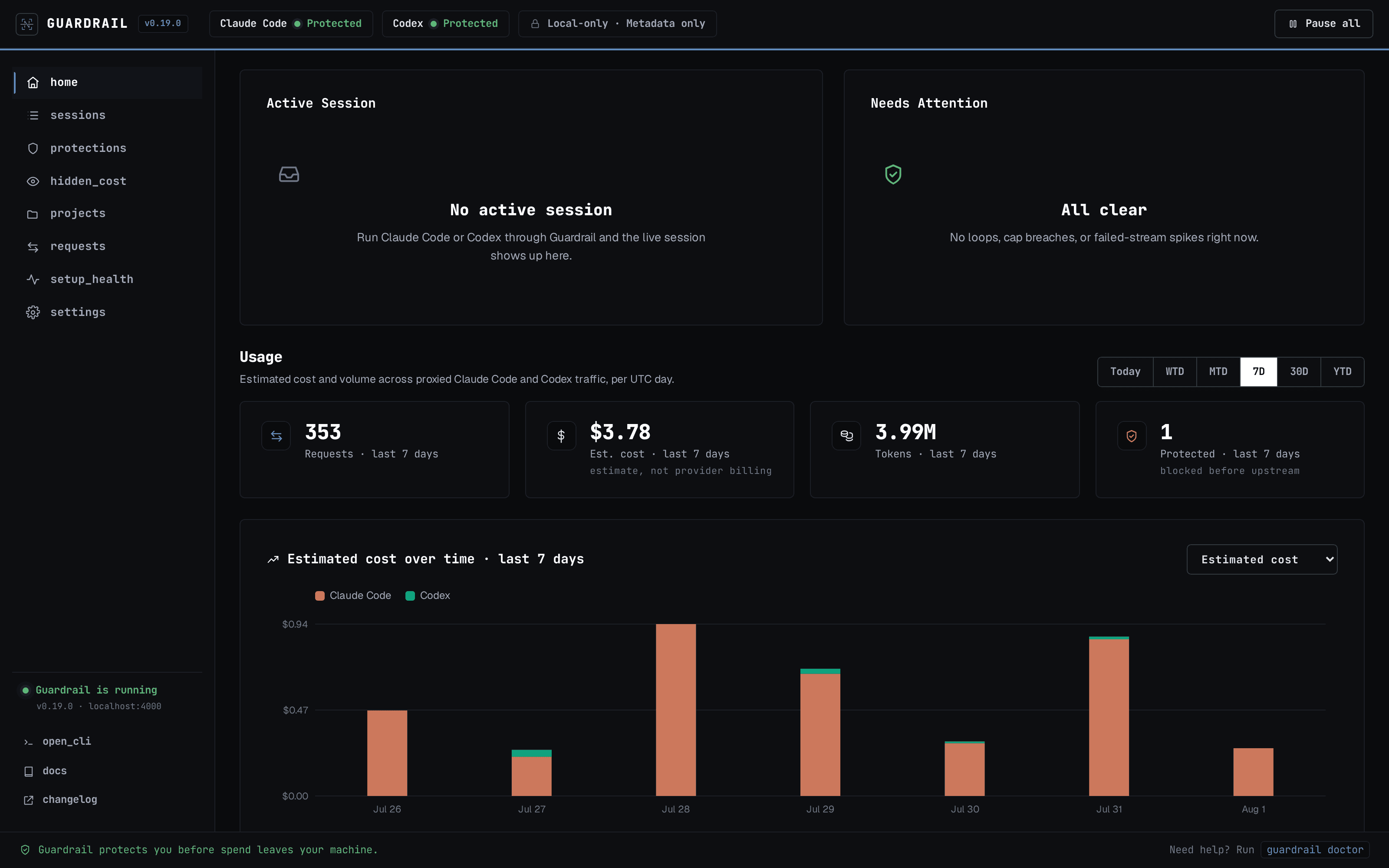
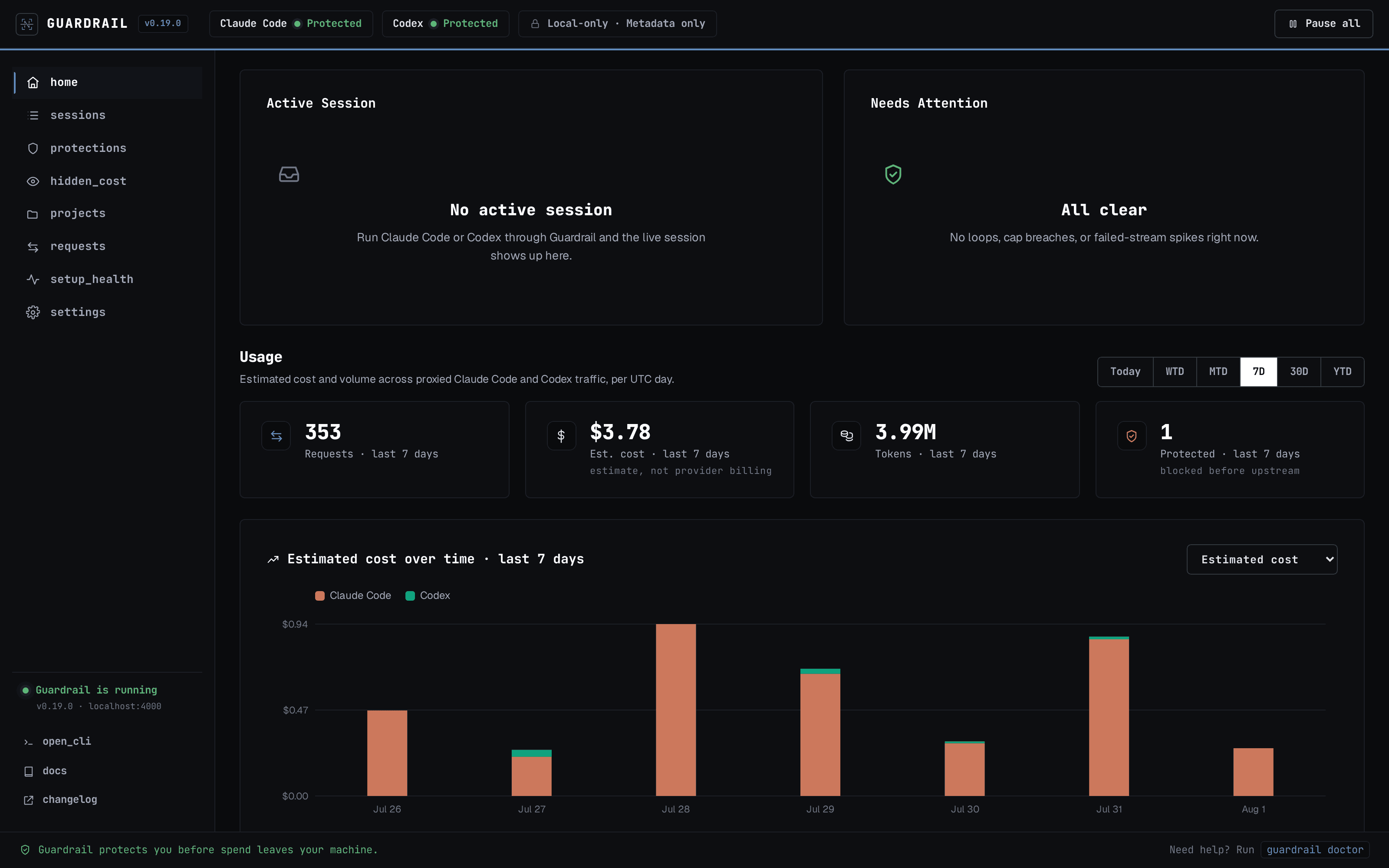
Sessions are the unit: each carries its requests, tokens, cache behaviour and estimated cost. The hidden-cost view attributes the spend a plain token counter leaves unexplained — the cache write on a first turn, the reasoning tokens you never see.
Privacy
Guardrail has to see a request to forward it, and keeps almost none of it. What lands in the database is the accounting: which model, how many tokens, what it cost, how long it took, whether a policy stopped it.
Never written to disk
Enforced by tests that send a known secret through the proxy and scan every byte written to disk for it. The full field-by-field model is in the privacy documentation.
Getting started
Install, activate, start — then point a tool at it with guardrail connect, which edits that tool’s own config and can be undone. The dashboard is at localhost:4000.
Runs on macOS, Linux, and Windows through WSL2.
Roadmap
Listed so you can tell what ships today from what is coming.
Per-session activity metering and enforcement through Cursor Hooks.
LangChain and other OpenAI-compatible stacks work today in preview; per-agent attribution is in progress.
Traffic passes through untracked when the daemon is down, so stopping Guardrail can never interrupt your tools.